
Track Streets You Have Walked
Keep a city list of streets recognized during your recorded walks, see what remains, and choose the next street to explore with Streets for iPhone.

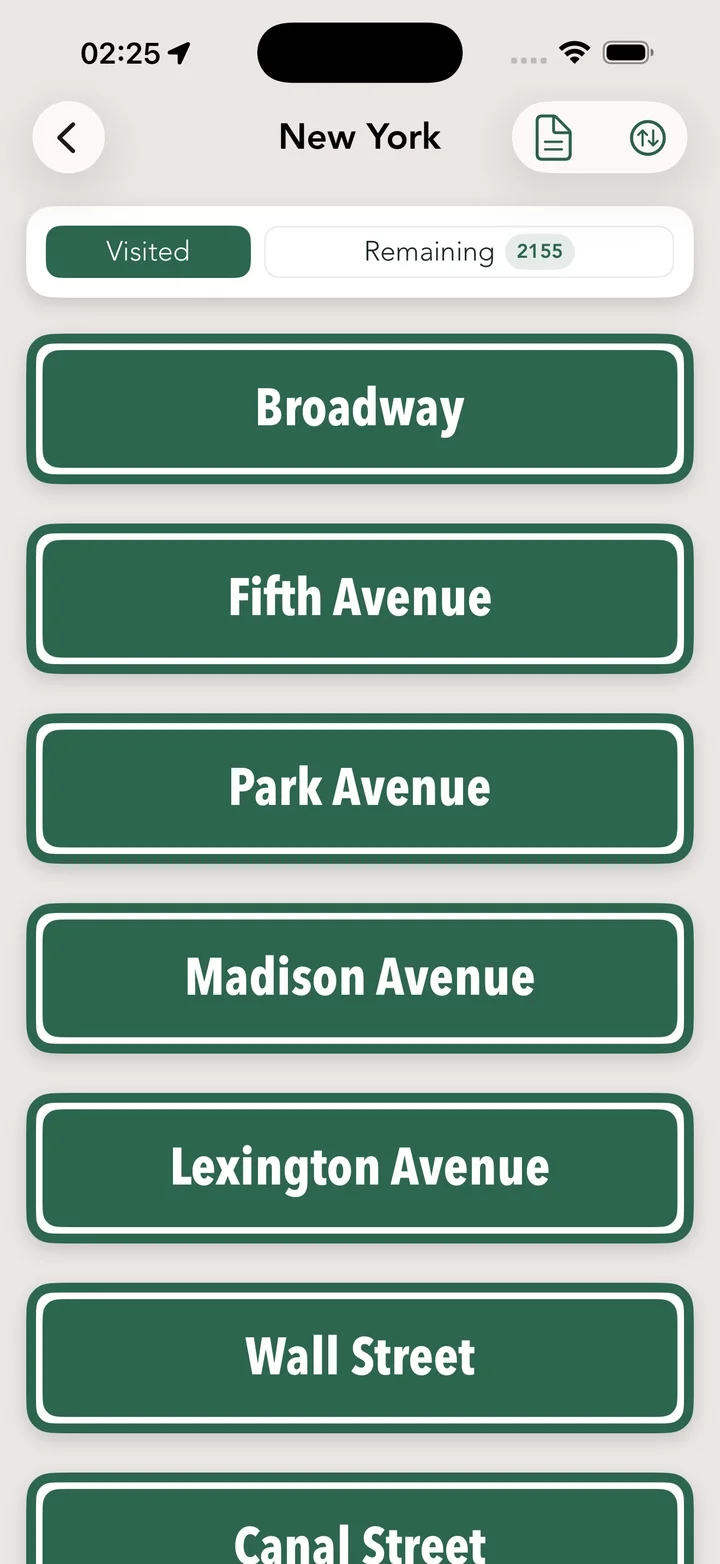
What this feature does
A saved GPS route shows one outing. Visited and Remaining show your street exploration across outings. Streets uses recorded location to recognize street visits, so you can build a personal map over time instead of checking a separate route for every walk. A route line near a street is not proof that the street was counted: check its name and location in the street list.
Real Streets capabilities
- Visited lists the streets Streets has recognized, rather than every walk you took before using the app.
- Remaining lists streets still available to explore in the selected city or custom Area.
- Nearest to me sorting helps find nearby remaining streets when your current location is available.
- A street's detail screen shows its position and offers Route to this street to open route planning.
- Skipped keeps streets you choose to leave out separate from your remaining challenge.
- Return to Remaining restores a skipped street to the list to explore; it does not record a visit.
- Tap a visible unvisited street marker on the main map to see the street name.
How it works
Record a first walk
Select Walk on the main map, tap the start control, and check that the timer begins after the countdown. When finished, tap pause, then Finish walk. Review the saved outing in Route History.
Check Visited and Remaining
Tap the city name and percentage on the map. Select the city if asked, then open Streets explored in City progress. Use Visited to check recognized streets and Remaining to find the gaps.
Choose the next street
In Remaining, open Sort streets and choose Nearest to me. Tap a candidate to inspect its location, then use Route to this street to plan how to reach it. Review the plan before recording the next walk.
Practical ways to use it
- Find a new block near a familiar destination instead of repeating your usual loop.
- Check a named street in Visited after a walk, then use its map view to confirm which street it is.
- Work toward walking every street in your city by choosing one suitable Remaining street at a time.
- Leave an unsuitable street in Skipped and restore it later if you decide to explore it.
FAQ
How is a visited street different from a GPS route?
The route line shows where location was recorded during one outing. Visited shows the streets recognized by Streets across outings. Recording a line does not mean that every nearby street was counted or that you walked the full length of each street.
Where do I find streets I have not walked?
Open City progress from the city badge, tap Streets explored, and choose Remaining. Check the selected city or Area before searching. Nearest to me can help you choose a nearby candidate when location access is available.
What does Skipped do to my progress?
Skipped streets are excluded from the selected challenge's counted street set and kept in a separate list. Skipping is not the same as walking a street. Use Return to Remaining to include it again without marking it as visited.
Why did a saved walk not count a street?
Check the saved route with View route in Route History, then check the city, Visited, and Skipped. Recording may have started late, stayed paused, or received an inaccurate location. Street data and recognition also matter. If the recorded line follows the street but its status seems wrong, contact Streets support with the city, street name, walk date, and app version.
Does visiting the same street again increase my street total?
A repeat visit to a street already in Visited does not create another new street in that city's total. The walk can still be saved in Route History with its route and activity stats.
Are all street tools available without PRO?
Some street-list and planning tools show a PRO or access prompt. Check the details shown in Streets for the tool you want to use before continuing.
Related guides
Find your next unvisited street
Install Streets on your iPhone, record a short walk, and check the city's Visited and Remaining lists.