
Walking Route Planner for Exploring New Streets
Streets helps you plan routes through new parts of the city instead of repeating the same path.
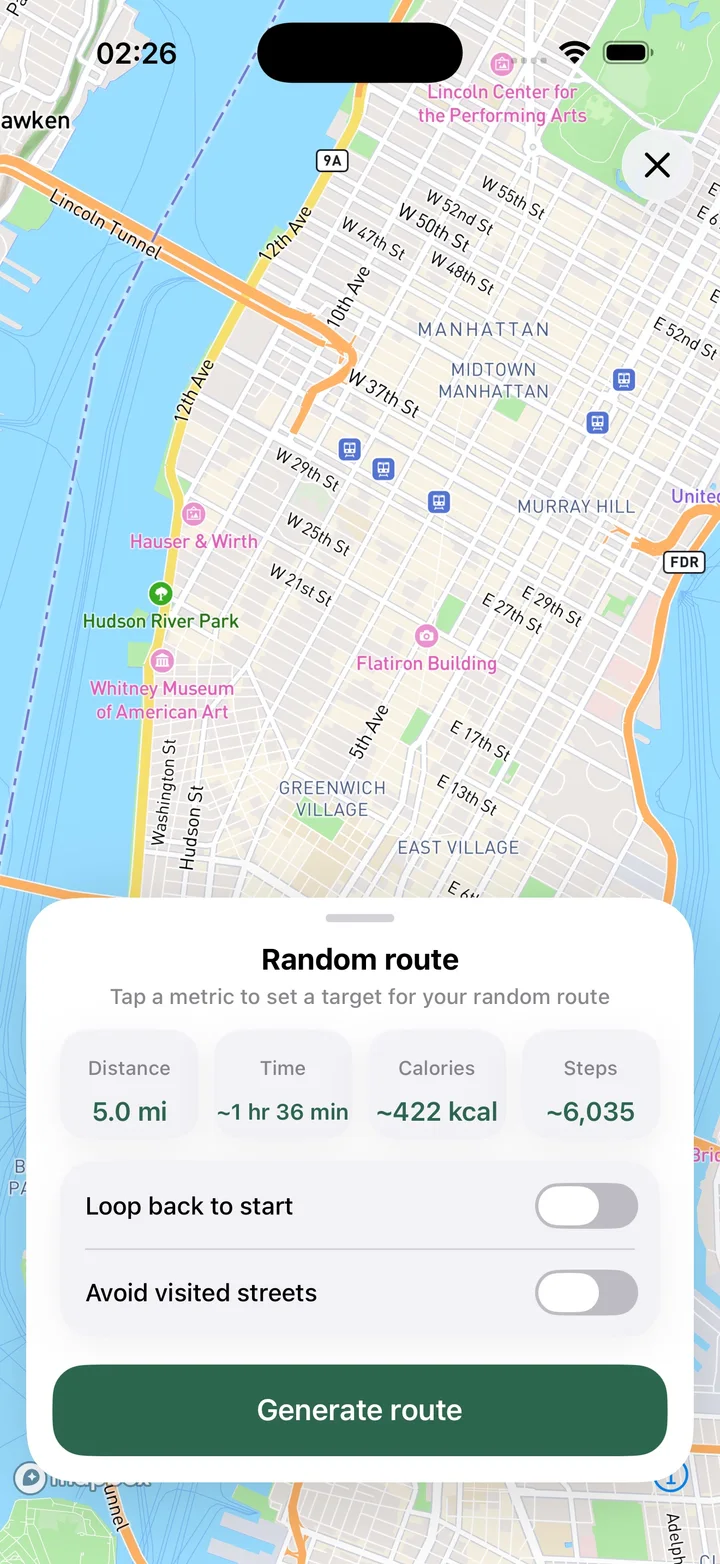
What this feature does
Use the route planner when you want a walk with a plan. Streets lets you place waypoints, build a route along the street network instead of a straight line, save a planned route, estimate distance, time, steps, and calories, view the street list for a plan, avoid already visited streets, and build a route to a specific street.
Real Streets capabilities
- Plan a walking route by placing waypoints on the map.
- Build planned routes along the road network.
- Save a planned route on the map for later.
- Estimate distance, time, steps, and calories before walking.
- See the list of streets included in a planned route.
- Avoid streets you have already visited.
- Build a route to a street you want to discover.
How it works
Choose streets
Pick map waypoints or a street you want to reach.
Plan the route
Streets builds a route through the street network and estimates the walk.
Walk the plan
Use the planned route to explore new streets and grow progress.
Practical ways to use it
- Plan a short lunch walk through new blocks.
- Explore a new neighborhood systematically.
- Avoid walking the exact same route every day.
- Preview a route before starting it.
FAQ
Can Streets plan a route along streets?
Yes. Streets can build planned routes along the street network rather than only drawing straight lines.
Can the planner avoid visited streets?
Yes. Streets can help plan around streets you haven't explored yet.
Can I save a planned route?
Yes. Planned routes can be saved on the map for later.
Related guides
Walk every street with Streets
Find what is left, choose a new route, and move your city closer to 100%.