
Export and Share Walking Progress
Streets makes walking progress easier to show, save, and share.
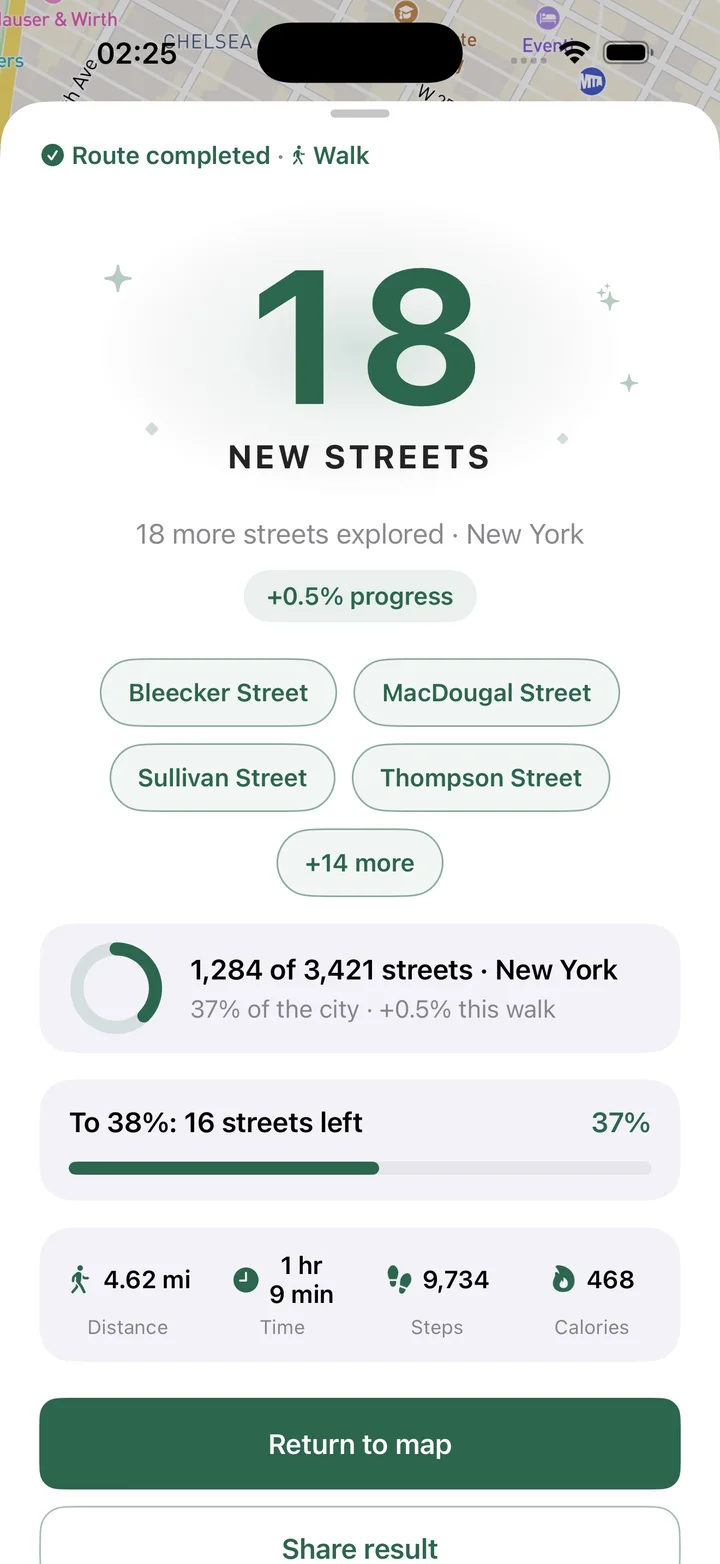
What this feature does
Sharing turns personal progress into something you can send or keep. Streets can create visual route cards, share area progress, export visited streets to PDF, and include a QR code and Streets branding so the export works as both a record and a shareable result.
Real Streets capabilities
- Share completed route cards.
- Share area progress cards.
- Export visited streets to PDF.
- Include QR code in PDF export.
- Include Streets branding in exported documents.
- Create shareable visuals for walking results and progress.
How it works
Choose a result
Open a route, area, or visited street progress you want to share.
Create the export
Generate a visual card or PDF with the relevant progress.
Share or save
Send the result, keep it as a record, or use it to show your progress.
Practical ways to use it
- Share a long route after a city walk.
- Show progress in a custom neighborhood area.
- Export a list of visited streets.
- Keep a PDF record of a completed exploration challenge.
FAQ
Can Streets share route results?
Yes. Streets can create shareable cards for completed route results.
Can I export visited streets?
Yes. Streets supports exporting visited streets to PDF.
Can area progress be shared?
Yes. Streets can create a shareable result for custom area progress.
Related guides
Walk every street with Streets
Find what is left, choose a new route, and move your city closer to 100%.