
Walking Goals for Routes
Walking goals turn a route into a clear mission without making the walk feel complicated.
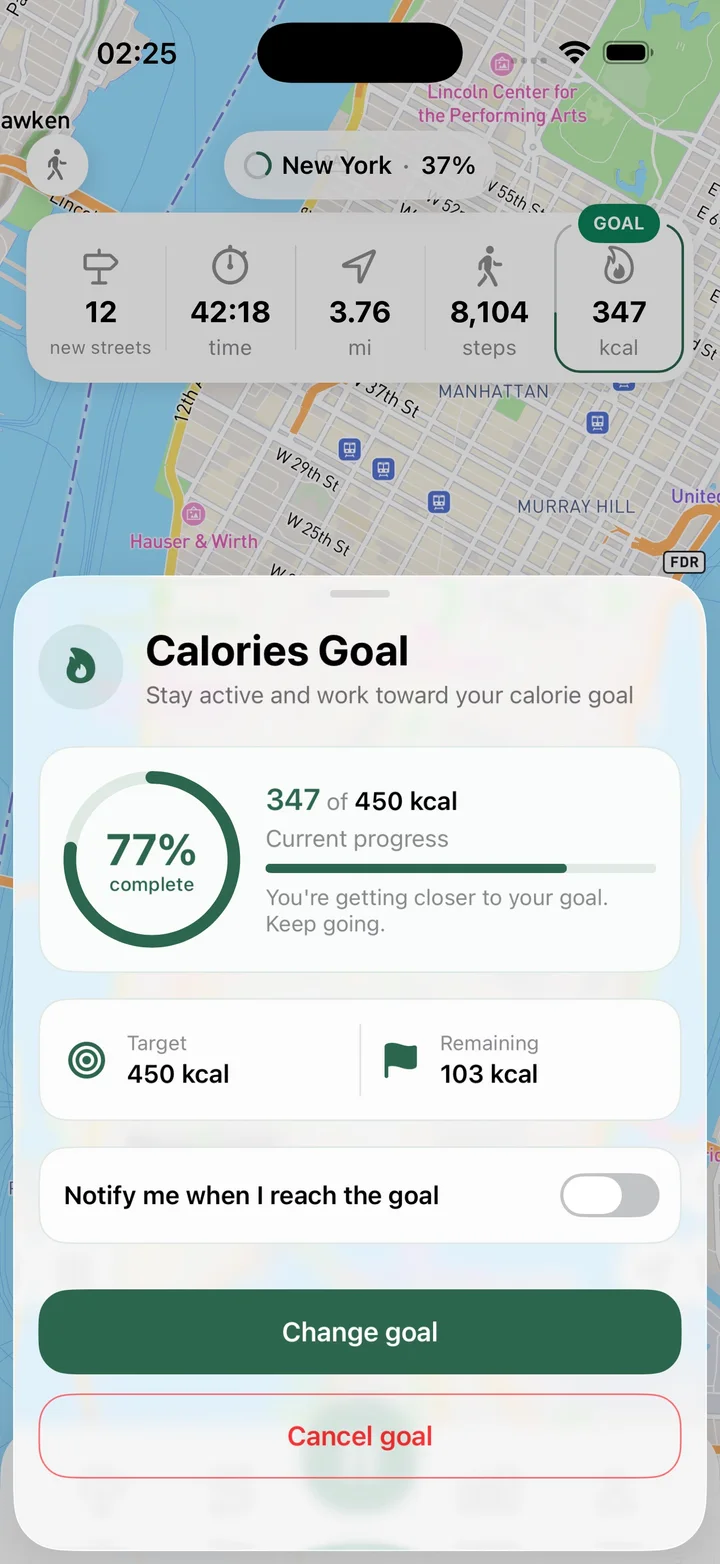
What this feature does
Streets supports goals that match the way people actually walk: discover a few new streets, hit a distance target, walk for a set amount of time, reach a step goal, or aim for a calorie target. During the route, Streets shows goal progress and can notify you when the goal is complete.
Real Streets capabilities
- Route goal by number of new streets discovered.
- Route goal by distance.
- Route goal by time.
- Route goal by steps.
- Route goal by calories.
- Goal progress shown during the route.
- Notification when a route goal is complete.
- Inactivity reminder when a route is paused by real-world waiting.
How it works
Pick a goal
Choose a new-street, distance, time, step, or calorie target.
Track progress
Watch the route move toward the goal while you walk.
Complete the mission
Get a clear signal when the route goal is finished.
Practical ways to use it
- Discover five new streets during an evening walk.
- Walk a set distance before heading home.
- Use a step goal for a low-pressure activity target.
- Stay aware when an active route has been idle too long.
FAQ
Can Streets set goals for a walk?
Yes. Streets supports route goals for new streets, distance, time, steps, and calories.
Can I see goal progress during a route?
Yes. Streets shows goal progress while the route is active.
Can Streets notify me when a goal is done?
Yes. Streets can notify you when a route goal is reached.
Related guides
Walk every street with Streets
Find what is left, choose a new route, and move your city closer to 100%.