
What Makes a Good GPS Walking Tracker for iPhone?
A practical guide to choosing a GPS walking tracker that records routes, keeps useful stats, and helps you understand where you walk.
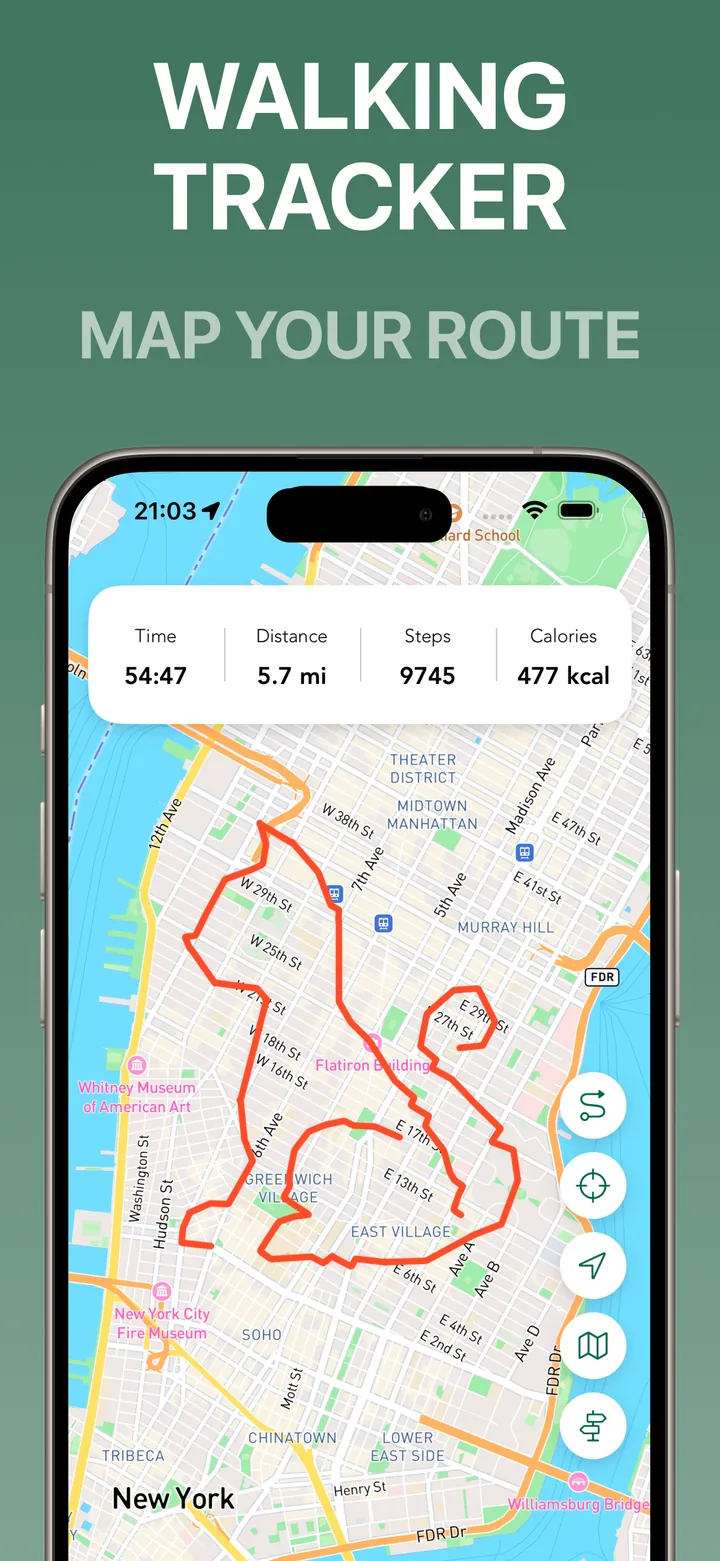
A good GPS walking tracker should do more than draw a line on a map. It should help you understand the walk you actually took: where you went, how long it took, how far you walked, and what changed in your personal map of the city.
For many people, walking is not training for a race. It is how they clear their head, explore a neighborhood, commute, or build a simple daily habit. That means the best walking tracker for iPhone should feel easy to start and useful after the walk is over.
Route recording should be clear
The core job is simple: record your walking route with GPS. You should be able to start a walk, put your phone away, and later see the route without guessing what happened.
In Streets, route recording is designed around city walks. The app focuses on the path you covered and the streets you visited, so the map becomes useful for exploration rather than only workout history. See the GPS walking tracker feature for the main tracking flow.
Stats should answer normal walking questions
Most walkers want a few clear numbers: time, distance, steps, and calories. Those stats help compare routes and understand effort without turning every walk into a performance dashboard.
Good walking stats should be readable at a glance. If you are checking a route after a walk, you should not have to dig through complicated charts to answer basic questions.
The map should become more useful over time
A route history is helpful, but a city progress map is more motivating. When your app shows which streets you have walked, each outing adds to something larger.
That is the difference between “I walked 2 miles” and “I explored five new streets today.” The second one gives the next walk a reason. It also makes familiar neighborhoods feel bigger because you can see the gaps you normally miss.
Planning matters before the walk
A walking tracker is even better when it helps before you start. If you can see visited and unvisited streets, you can choose a route that avoids repeating the same loop.
This doesn’t need to be complicated route optimization. It can be as simple as picking a nearby cluster of unvisited streets and walking toward it.
Choose the tracker that fits your walk
If you want intense training plans, you may prefer a fitness-first app. If you want a city exploration app that records walking routes and shows where you have been, Streets is built for that kind of everyday walk.
The best tracker is the one you actually use. Start a route, walk normally, and let the map become more useful every time you go outside.