
How to Use a Random Walking Route Generator
Use random routes to break out of repeated walks, choose a distance or time target, and discover new streets without planning every turn.
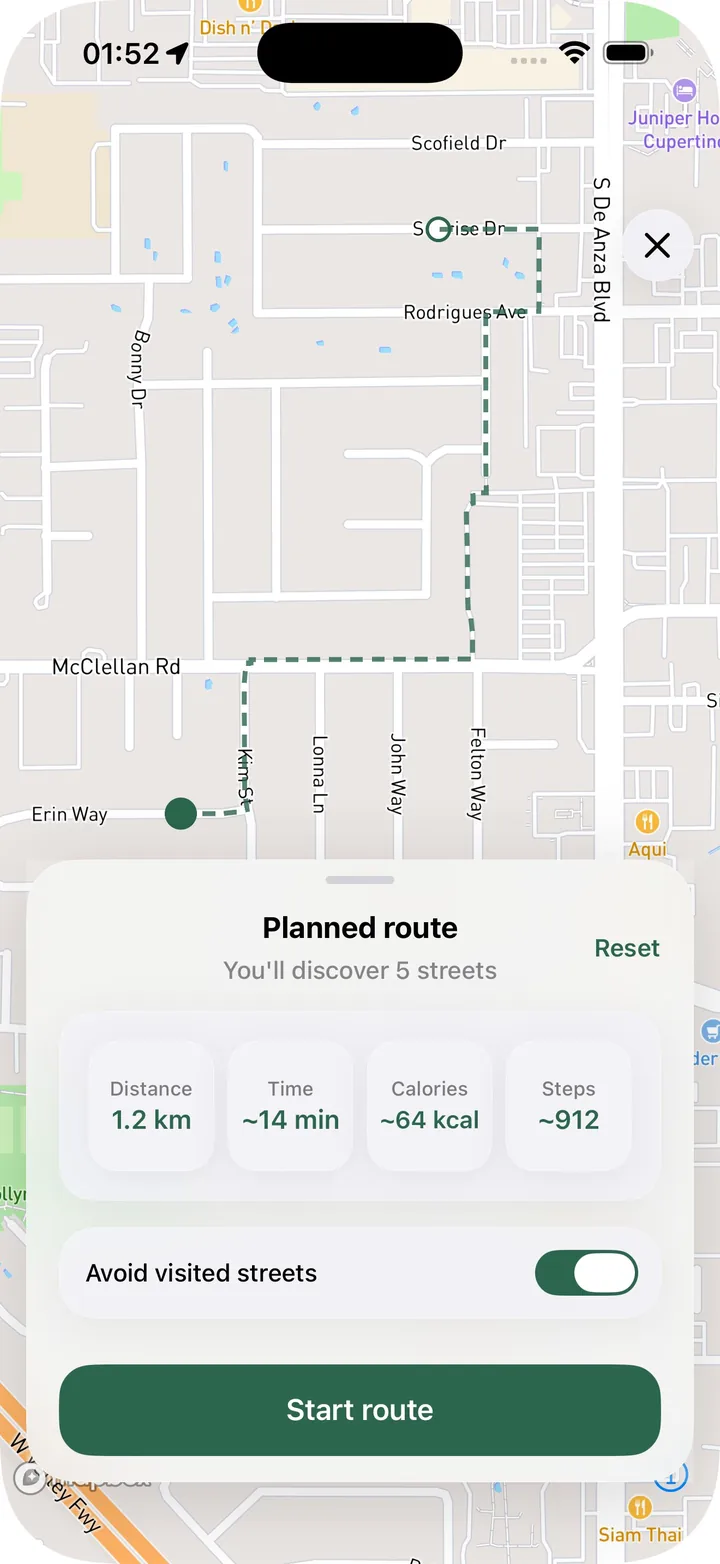
A random walking route generator is useful when you want to get outside but don’t want to decide every turn. Instead of repeating the same loop, you choose a target and let the app suggest a route.
That works especially well for city walks. Cities are full of streets you pass often but never actually walk. A generated route can pull you through those gaps and make a normal walk feel fresh.
Start with the kind of walk you want
Before generating a route, decide what kind of walk makes sense today. You might want a short loop, a longer exploration route, or a one-way walk that ends somewhere useful.
In Streets, Random Route can be shaped by practical targets: distance, time, steps, or calories. That means the route can fit your day instead of becoming a random commitment you did not ask for.
Use loop routes when you need to return home
Loop routes are the easiest way to use random walking routes. You start near your current position and the route brings you back, which is perfect for lunch breaks, evening walks, or quick neighborhood exploration.
A loop is also a good way to discover new streets without worrying about where the walk ends. You can focus on moving and noticing the city.
Try one-way routes for errands and transit
One-way routes are useful when you already have a destination. Maybe you are walking to a cafe, a train station, a park, or a friend’s place. A one-way random route can make that trip more interesting.
Instead of taking the obvious path, you can let the route include streets you haven’t visited yet.
Avoid streets you’ve already walked
The best random route is not just random. It should understand your walking history. If the goal is exploration, the route should prefer streets that add something new.
Streets can generate routes with less overlap with already visited streets, which makes Random Route a better fit for city progress. It is not only a way to move. It is a way to reveal more of the map.
Save a route if it looks good
Sometimes a generated route is worth keeping. If the route passes through a useful area or connects streets you wanted to explore, save it as a planned route.
That gives you the best of both modes: quick random generation and a route you can intentionally follow later.
When random routes work best
Random routes are best for low-friction exploration. Use them when you are tired of deciding, when your usual walk feels stale, or when you want a route that fits a specific amount of time.
For more control, use the walking route planner. For surprise and discovery, try the Random Route generator.