
Walking Step Counter, Distance and Calories
Streets keeps practical walking stats beside your map so your route and activity are easy to review together.
What this feature does
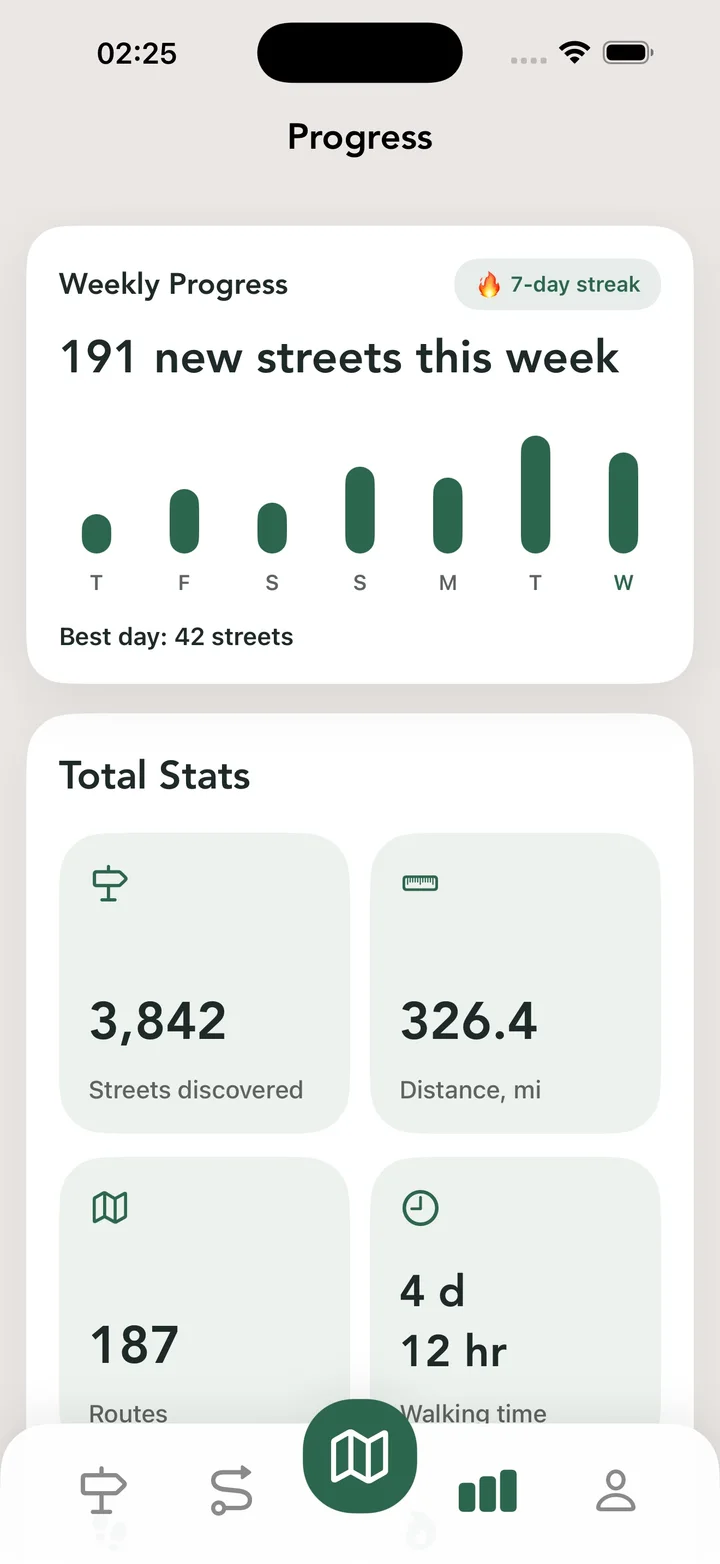
Use Streets to see the basic stats that matter during and after a walk: steps, distance, time, and calories, all connected to the route you explored. Stats are stored with the route so you can review them later in history and compare different walks.
Real Streets capabilities
- Step count during a route.
- Distance tracking for completed routes.
- Route duration and activity time.
- Estimated calories.
- Stats shown together with route maps.
- Stats saved in route history.
- Planned route estimates for distance, time, steps, and calories.
How it works
Track a route
Start recording before you head out.
Review stats
Check time, distance, steps, and calories after the walk.
Compare routes
Use history to understand how different walks add up.
Practical ways to use it
- Compare short and long walking routes.
- See how far a city walk took you.
- Keep basic activity stats alongside route history.
- Estimate a planned route before you start.
FAQ
Does Streets show steps and distance?
Yes. Streets shows steps, distance, time, and calories with your route.
Are walking stats connected to route history?
Yes. Completed routes can be reviewed with their walking stats.
Can planned routes show estimated stats?
Yes. Streets can estimate distance, time, steps, and calories for planned routes.
Related guides
Walk every street with Streets
Find what is left, choose a new route, and move your city closer to 100%.