
How to Export Walking Routes as GPX in Streets
Save a recorded route as a GPX file, or download your walking history as a ZIP with GPS tracks and a CSV activity summary.
A saved walk can be useful beyond its map in Streets. Export the GPS track to keep a file of the route, share it, or open it in an app that supports GPX. You can export one route from Route History or download the whole history from Settings.
Export one route as GPX
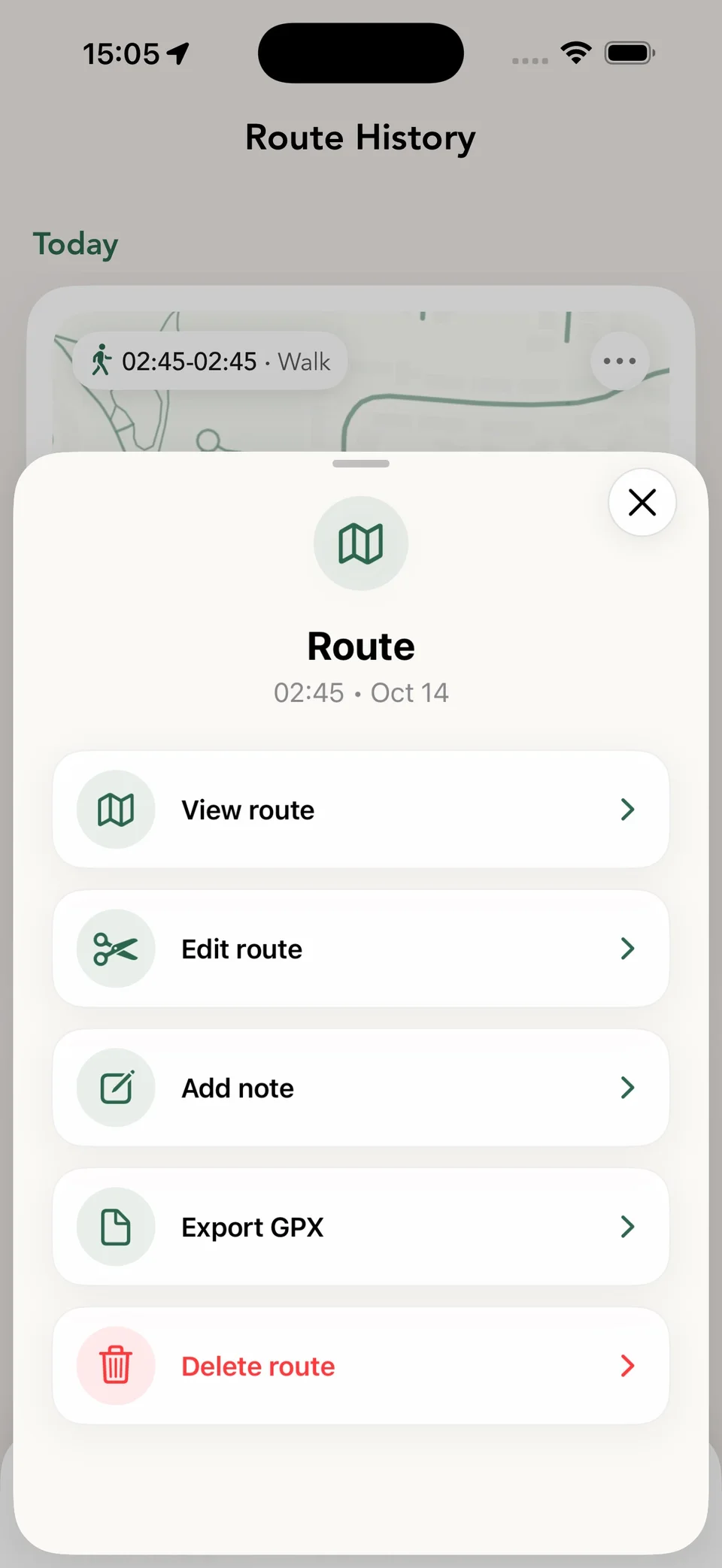
- Open Route History and find the saved route you want to export.
- Tap the three dots on its route card, then choose Export GPX. You can also export from the menu in route details.
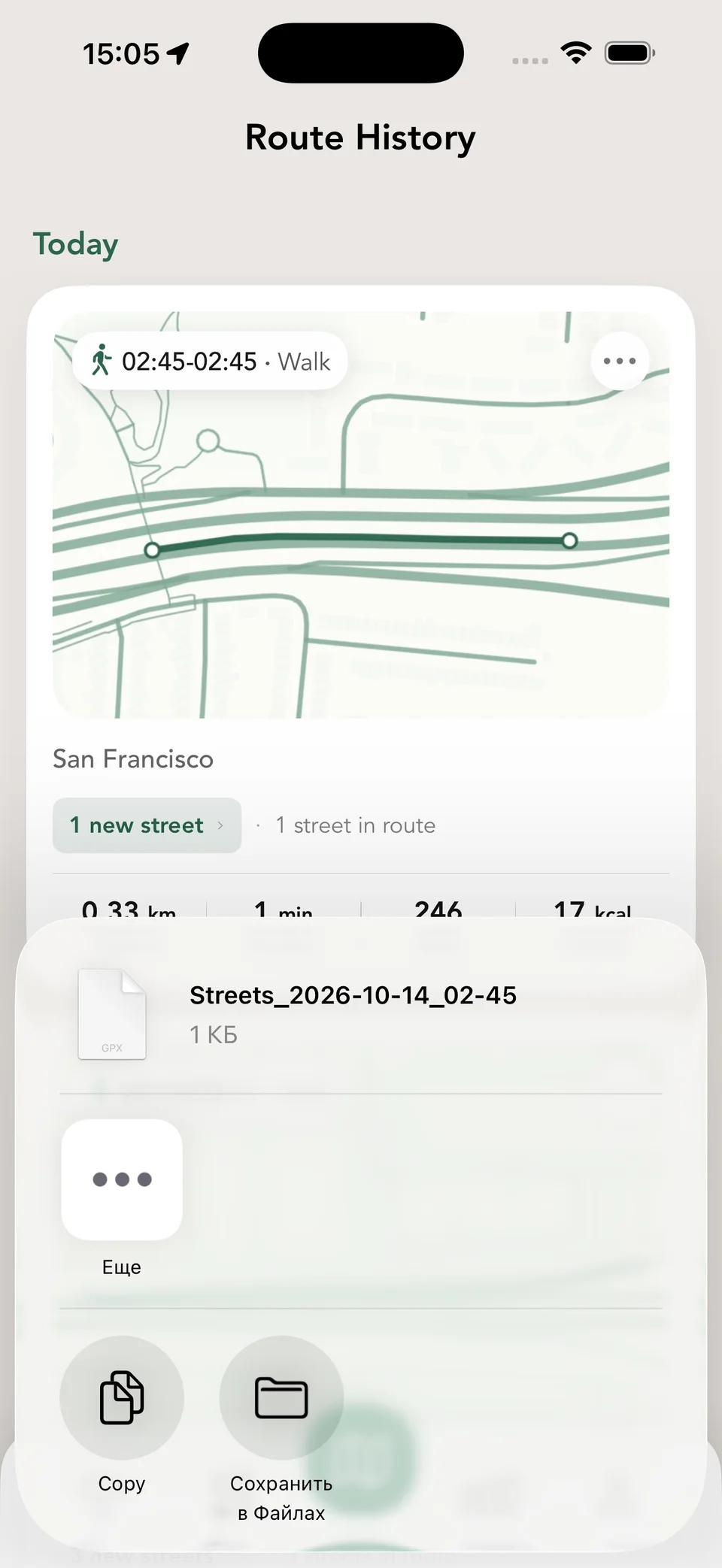
- Wait while Streets prepares the GPX file. The iOS share sheet opens when it is ready.
- Choose Save to Files to keep the file on your iPhone or in iCloud Drive, or select an available sharing destination.
What the GPX file contains
The GPX file contains the saved GPS track, with timestamps and elevation where those values were recorded. Recording breaks stay separate, and sections excluded from the saved route are left out. GPX is useful for viewing a route in compatible mapping apps; it does not contain all the activity statistics shown in Streets.
Download your whole walking history
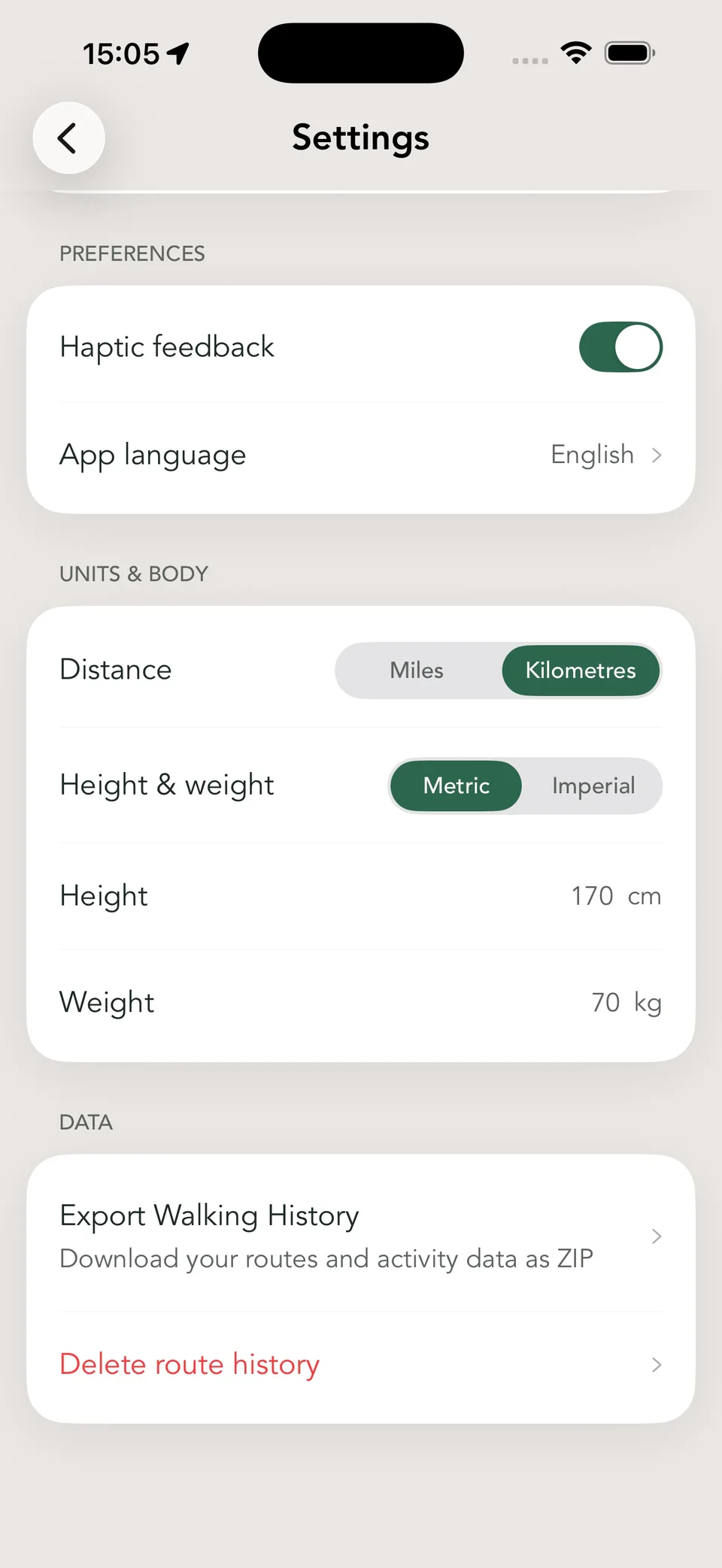
Open Settings, scroll to Data, and tap Export Walking History. Streets prepares a ZIP archive that you can save or share.
The archive contains:
- routes/: individual GPX files for routes with usable GPS data.
- activities.csv: an activity summary with dates, duration, distance, steps, calories, visited street counts, activity modes, route names, notes, and the status of each GPX export.
Open the CSV in a spreadsheet app to review your activity data together. Keep the ZIP when you want both the tracks and their summary in one download.
If a route has no GPS data
A route without usable GPS points cannot produce a GPX track. During a history export, its activity record can still appear in activities.csv, with the export status showing that a GPX file was not created.
Keep control of your route files
GPX files contain location data and may include recording times. Choose where to save them and who to share them with. The ZIP is an export of routes and activity data; it is not a restore file for Streets.
For visual cards and visited-street PDFs, see Export and Share. To review or edit a route before exporting, open Route History.